Quick Start
Follow this simple guide to download and install the package in a Unity Project. Construct can be used outside Steelgrim projects, but it must be credited among the technologies used, using the splashscreen that is part of the Core package:

System Requirements
Construct is compatible with Unity 6000.0 or later versions.
Installation
Construct can be installed through Unity Package Manager after adding a custom npm registry:
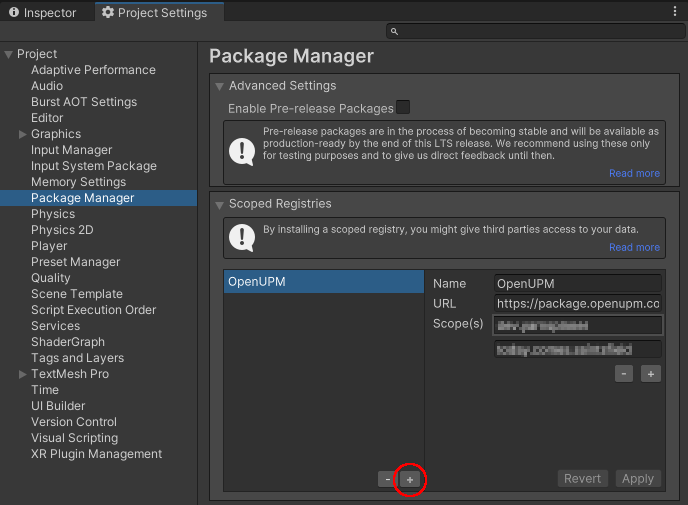
- Go to Project Settings > Package Manager and in the section Scoped Registries add a new entry by clicking the
+button.
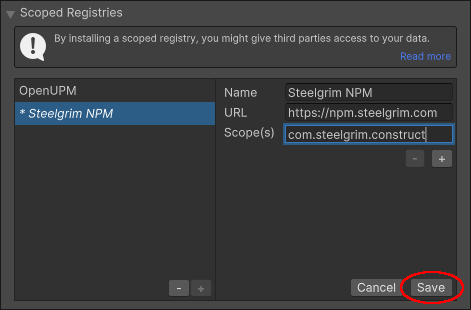
- Populate the required fields as follows. The registry Name can be arbitrary, but it's recommended to set it to a meaningful value such as Steelgrim NPM.
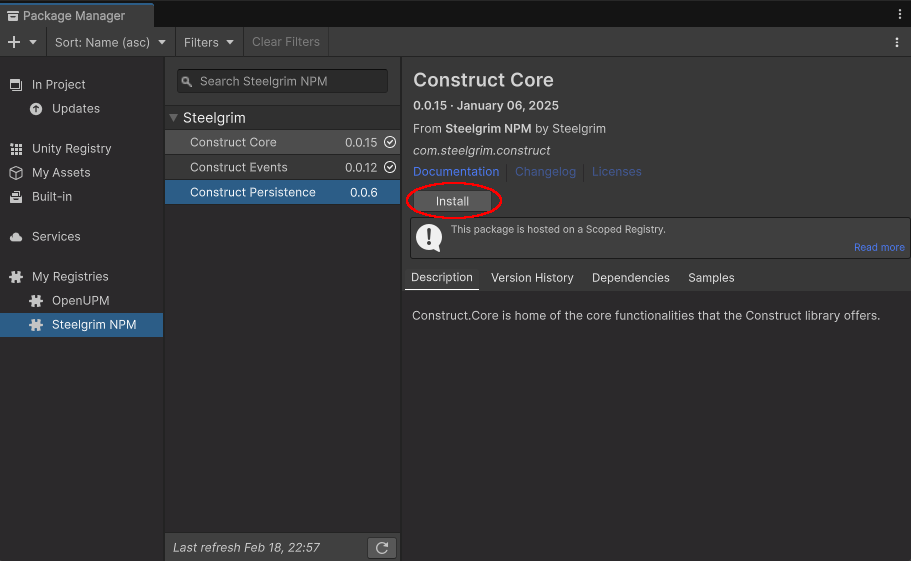
- Open Window > Package Manager. If everything went smoothly, under
My Registriesthere should now be a category related to Steelgrim containing the list of all available Construct packages. They can be installed one by one by clicking Install.