Script Templates
Construct provides a way to expand and automate the ScriptTemplates folder function that Unity offers. The result of the steps listed below is to turn the default Create > C# Script contextual menu from

to
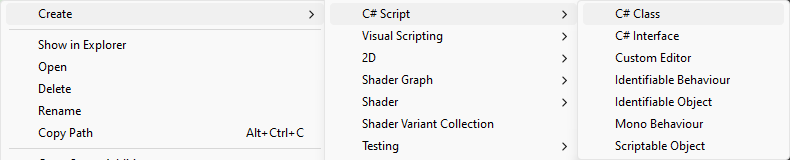
Preliminary Step
Before changing the menu item, it's important to specify a root namespace for the project's scripts. This can be achieved by setting the value of Project Settings > Editor > Root namespace. This makes sure all scripts created starting from one of Construct's templates will be automatically created into the right namespace.
If the namespace field in Project Settings is left blank, all scripts will be generated in the default namespace, which is not recommended.
Generate Templates
From the Menu bar select Construct > Create > Script Templates. This will create a new ScriptTemplates folder inside the Assets folder. The editor must be restarted for the changes to take effect.
From this moment the Menu bar action will be disabled. To re-enable it and re-generate the templates just delete the ScriptTemplates folder.